AltaMail5.8.2
Publisher Description
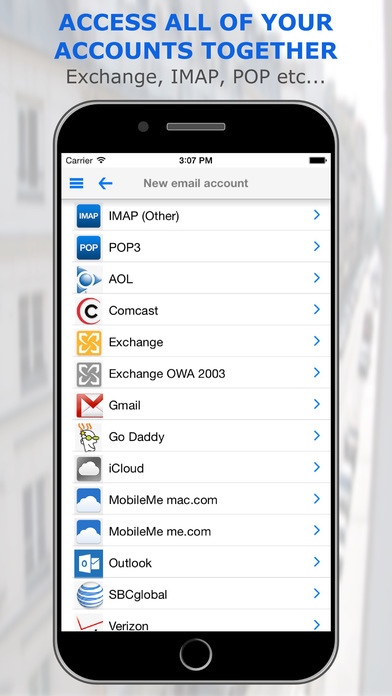
Use simple swipes and actions to quickly tame your inbox! AltaMail has the easiest to use, yet most advanced email features of any app and enables you to build rules & filters, create full searches, mail shots and much more. You can even save attachments to the Cloud or PDF them before resending.
Supports practically every leading email type IMAP, Exchange, Outlook, POP, iCloud, Gmail, Hotmail, Yahoo, etc...
Full customization of menus, actions, swipes, email font, color, layout, shortcuts, filters, rules, smart folders, flags and notifications
AltaMail is the only email app in the app store that enables you to "action" your email quickly & simply - not just sweep it under the carpet for another day. The rules engine built into AltaMail, is so powerful that you can create rules that will auto reply, auto file or archive & mark your email as read the very second it hits your inbox!
The press are convinced!
----
Incredible iPhone Apps for Dummies "The more e-mail you send & receive on your iPhone/iPad, the more you'll appreciate AltaMail "
AppShouter: "this app expands the possibilities for mail"
iPhone Apps Finder: "a very solid business app - 9/10"
ArticleClick: "....bottom line is that this app expands the possibilities for mail on your iPhone or iPad"
Inbox Zero!
Tap on the new/unread email count to be instantly shown all new/unread email across all of your accounts
Quickly swipe to reply with a template, move emails into folders, reply, set reminders & much much more
Set reminders to hide emails until a later date
Bulk select & delete email across multiple accounts simultaneously
Bulk mark email as read/unread
Create, rename and delete email folders
Show an entire email thread with a single tap, bulk move, save or file the entire thread at once
Swipe to save emails to cloud servers and Evernote
Create your own "Folder Aspects" to combine multiple folders into a single view, filtered by "unread" status or categories
Swipe
Quickly swipe for common actions
Create your own swipe actions
Use slide buttons or a popup - your choice
Rules
Set up rules to auto reply, auto delete, auto file/archive, set flags & lots more
Create your own notification rules for filtering
Use an email to create a new rule with custom actions
Mailshots & Templates
Quickly & easily create mail merge/mailshot templates
Send personalized mail shots to contacts or custom groups
Use templates for auto replies
Many merge fields to chose i.e - First name, Last Name, Organization, Email etc etc
Device Sync
Securely sync email accounts & settings between your iPad & iPhone
Security
Your emails are not read externally to send you notifications. Background push notifications are managed by AltaMail
We do not account login credentials externally for any other reason
Secure email server communication
Emails are encrypted before storage
App password lock option
Push Notifications
Email sounds for individuals or accounts
Set general notification schedule or per account
Skip notifications for selected email/senders
Suspend notifications
Linked to calendar events for quiet time
Choose swipe notification actions
Contact Email
All email is automatically filed into your contacts email folder
View the entire history of email with an individual in contact view
Attachments
Save emails & attachments as files locally or in the cloud
Convert email, files, docs, spreadsheets, web pages & more to PDF
Zip or unzip files & folders
Fully integrated with cloud servers to attach files, eg. DropBox, Box, iCloud, GoogleDrive, Evernote and many more
What else does it do?
Built in powerful document storage
Transfer saved email files to & from your PC or Mac easily
Move emails to different accounts
Save your own custom filters and email list sorting
Set email flags and view emails by flag
Requires iOS 5.1.1 or later. Compatible with iPhone, iPad, and iPod touch.
About AltaMail
The company that develops AltaMail is EuroSmartz Ltd. The latest version released by its developer is 5.8.2.
To install AltaMail on your iOS device, just click the green Continue To App button above to start the installation process. The app is listed on our website since 2009-09-02 and was downloaded 21 times. We have already checked if the download link is safe, however for your own protection we recommend that you scan the downloaded app with your antivirus. Your antivirus may detect the AltaMail as malware if the download link is broken.
How to install AltaMail on your iOS device:
- Click on the Continue To App button on our website. This will redirect you to the App Store.
- Once the AltaMail is shown in the iTunes listing of your iOS device, you can start its download and installation. Tap on the GET button to the right of the app to start downloading it.
- If you are not logged-in the iOS appstore app, you'll be prompted for your your Apple ID and/or password.
- After AltaMail is downloaded, you'll see an INSTALL button to the right. Tap on it to start the actual installation of the iOS app.
- Once installation is finished you can tap on the OPEN button to start it. Its icon will also be added to your device home screen.
